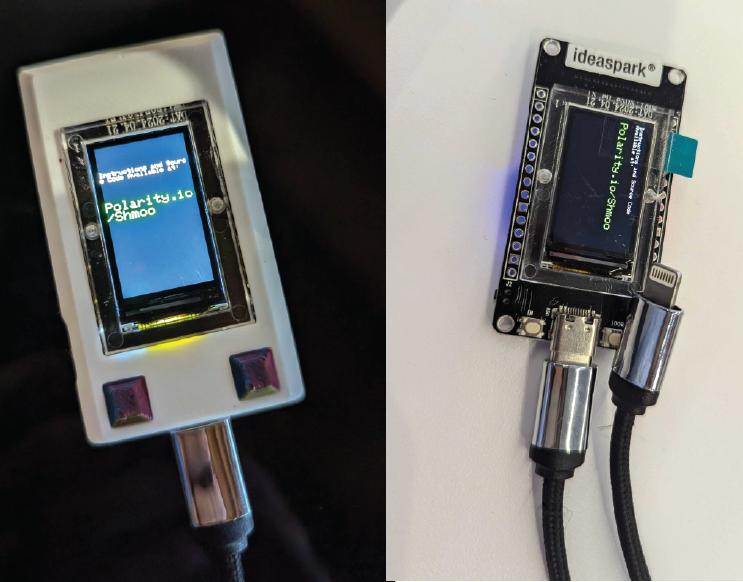
Thank you for participating in the final Polarity | ThreatConnect ShmooBag challenge.
Get more parts (while supplies last) - there are two ways to get more parts to build off your board and customize your own mini “cyberdeck”.
Find even more people with the same hash as you, and come to the ThreatConnect|Polarity booth together to all earn additional parts.
Share on social media what you build/design/code/modify/hack with the existing parts you have and show us at the booth.
Subscribe for updates here:
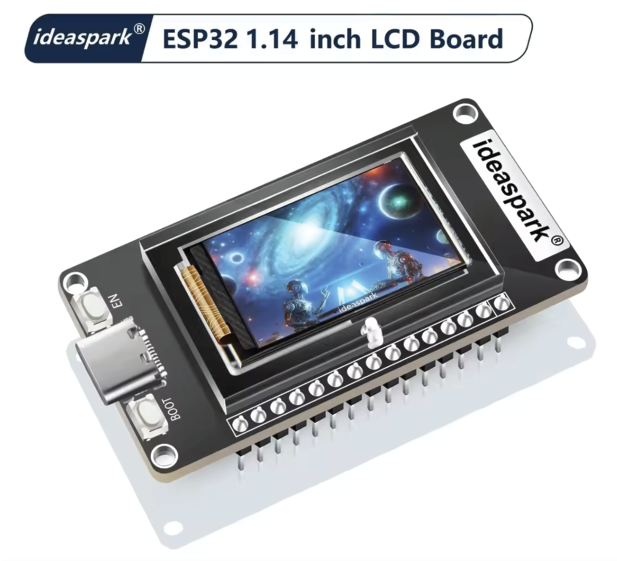
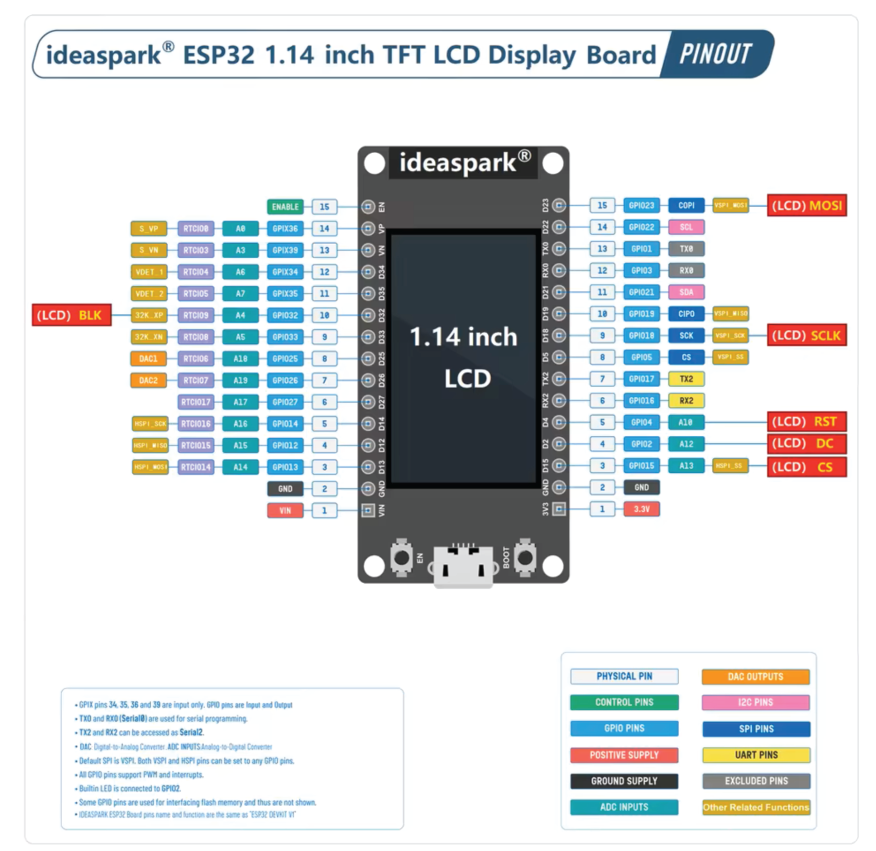
If you were lucky enough to receive one of the ideaspark esp32 development boards, you can follow the steps below to program or customize your board.
1. Powering Up:
Your board came preloaded with a rough sample program (available below), plug it into a usb power bank to turn it on. (USB-C to USB-C on to a PC may not work, USB-A to USB-C cables or USB-C through a HUB should all work)...the board has been tested with both 5v and 3.3-7v.
Sample Modes: Press the boot button to cycle through 4 sample modes
2. Matrix visualization
Digital - Binary - and analog clocks (need to call to NTP server with wifi if you want accurate time, plenty of tutorials on youtube)
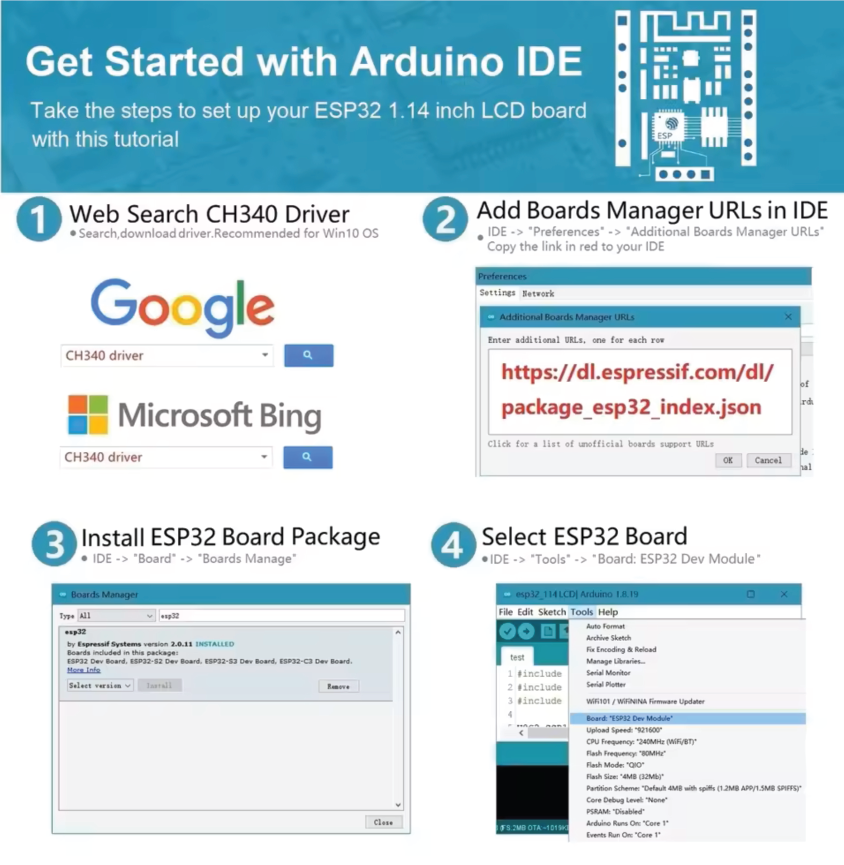
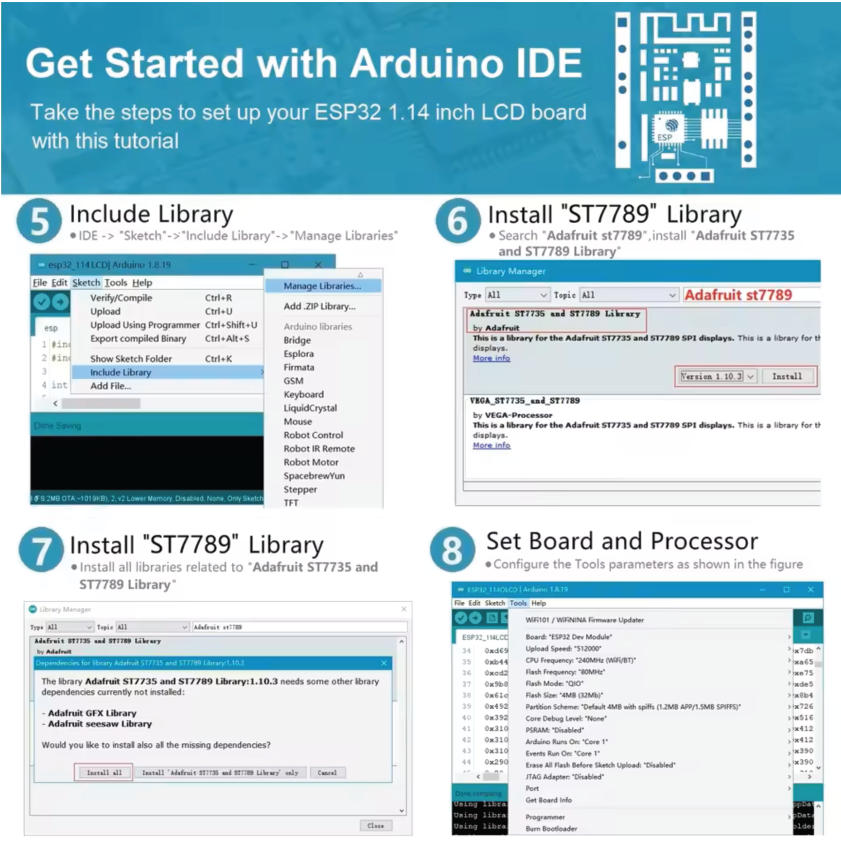
Follow the below steps recommended by the board manufacturer . There is a good chance you can skip step 1 if you are using Windows 11 as although it is not technically “built-in” to the operating system, it is a very common driver.
Click to download sample code:
Disclaimer: The sample code provided is for educational purposes only and comes with no warranties or guarantees. Use at your own risk. No licenses are granted or implied. You are free to modify and adapt the code to suit your needs.